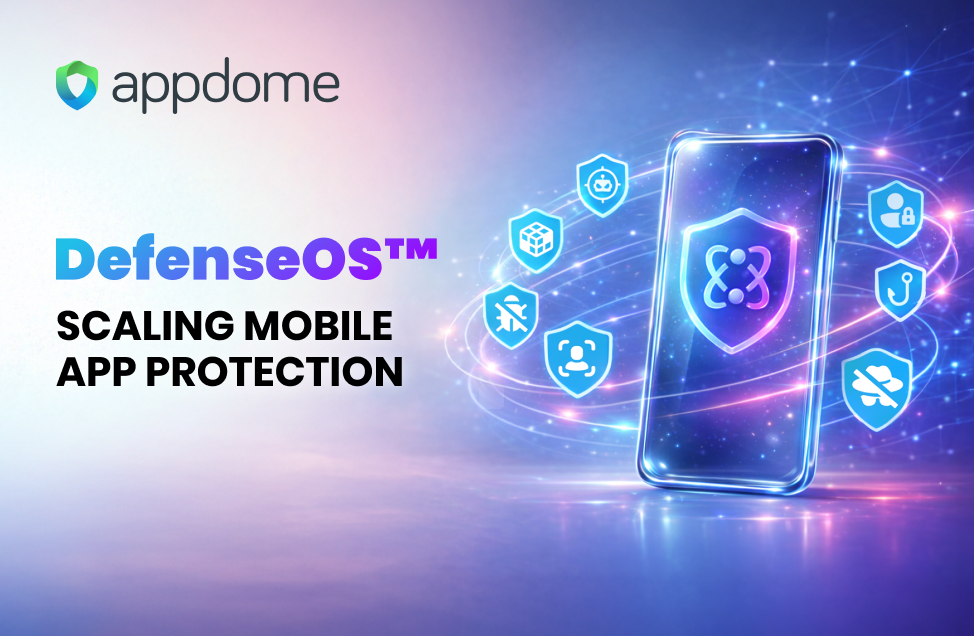
DefenseOS™ is the runtime “workload governor” inside Appdome-protected Android and iOS apps. Instead of shipping isolated SDK features that fight for the main thread, memory, and network, DefenseOS orchestrates defenses as coordinated workloads with scheduling, lifecycle control, resource budgets, safe rollout, and observability. The result: you can increase defense posture over time with fewer regressions in TTI, FPS, ANRs/watchdog events, and operational complexity.
All mobile brands want their mobile app to do more. And, all mobile brands need their app to protect against more mobile threats. The challenge is that mobile devices and operating systems are not static environments. On the contrary, the performance and operating characteristics of each device in the hands of each user is highly – immensely – fragmented. Some run faster. Some run slower. Some include tweaks to the operating system, chipset, memory, etc. – to make the device more affordable, allow different plugins, etc. Neither the mobile developer nor the cyber team control the operating environment.
Against this backdrop, the industry’s default pattern has been: integrate another SDK → write glue code → tune performance → chase edge cases → repeat. DefenseOS exists because that approach does not scale.
Defining DefenseOS
DefenseOS is a dedicated, governed execution environment inside the app process that orchestrates security, anti-fraud, anti-bot, and compliance protections as managed workloads rather than disconnected feature calls.
That distinction matters. When defenses behave like “managed workloads,” you can:
- control when they initialize,
- control where they run (main vs background),
- control how much CPU/RAM/network they consume,
- supervise health and continuity,
- and roll policy forward/back safely—without race conditions or unpredictable contention.
Because the real problem is defenses compete with your app. Mobile apps run under tight constraints: lifecycle rules, background limits, strict watchdog/ANR conditions, variable networks, and performance expectations measured in milliseconds.
When multiple protections run “forcefully or opportunistically” in the host app, they can:
- block render-critical paths,
- create bursty CPU behavior,
- grow memory queues during poor connectivity,
- fragment heaps,
- spike allocations at startup,
- and introduce ordering problems across lifecycle transitions.
In short: defenses start fighting each other and your UI for the same scarce resources. DefenseOS stops the fight.
The benefits of Defense OS for mobile developers and appsec engineers
1) Predictable startup and smoother UI (TTI + FPS protection)
DefenseOS includes explicit startup/lifecycle control mechanisms so defenses don’t dogpile your cold start.
Examples from the DefenseOS plugin set:
- Dynamically control feature initialization across launch/resume/process recreation to reduce main-thread contention and avoid memory spikes that impact FPS.
- Profile cold-start paths and defers non-critical tasks to improve TTI and reduce CPU bursts.
- Defer loading heavy modules on constrained devices to reduce startup CPU and memory pressure.
What you get:
- fewer “why did startup regress?” surprises,
- fewer launch-time CPU spikes,
- more stable first-interactive behavior across device classes.
2) Workload scheduling that respects OS constraints (and your main thread)
DefenseOS treats defenses like jobs with priorities, deadlines, and QoS—rather than background chaos.
Examples:
- Schedule work within WorkManager/BGTaskScheduler constraints; defers non-urgent work to protect TTI/FPS and limit memory churn.
- Tune priority/QoS to protect the main thread and reduce CPU contention.
- Move heavy work off render-critical paths to reduce main-thread blocking.
What you get:
- less jank under load,
- fewer “random” frame drops caused by background bursts,
- fewer regressions tied to a single new protection getting added.
3) Resource budgets and degrade modes (CPU/RAM/network governance)
Once you scale protections, you need an execution layer that can say: “Not now. Not here. Not this much.”
Examples:
- Enforce CPU/RAM/network budgets with degrade modes to stabilize FPS and maintain TTI under load.
- Reduce allocation churn and GC/ARC overhead to improve smoothness (especially during startup).
- Prevent runaway queue growth to avoid memory blowups and main-thread overload.
What you get:
- predictable resource behavior across low-end and high-end devices,
- fewer OOM-risk patterns from uncontrolled queues,
- fewer performance cliffs when network conditions degrade.
4) Network resilience without background thrash
A lot of “performance issues” in protected apps aren’t compute—they’re retries, polling, buffering, and bursty uploads.
Examples:
- Limit burst retries that steal main-thread time and grow queues.
- Disk-backed buffering to prevent in-memory queue growth during connectivity loss.
- Throttle/batch/compress to smooth background load.
What you get:
- fewer “the app is fine on Wi-Fi but melts on cellular” cases,
- reduced CPU wakeups,
- better stability under poor connectivity.
5) Safer policy rollout, faster mitigation, fewer “hotfix rebuilds”
For appsec engineers, the best defense is the one you can control safely when something changes in the threat landscape.
Examples:
- Retrieve and verify defense policies
- Activate policies without race conditions
- Immediately disable with safe fallback
What you get:
- cleaner rollout mechanics,
- less fear of policy-induced instability,
- faster operational response when you need to mitigate or adjust.
6) Observability that doesn’t create its own performance problem
Telemetry is essential, but naïvely implemented telemetry can become the bottleneck.
Examples:
- Normalize/merge event streams with ordering/backpressure to prevent memory queue blowups.
- Reduce event volume by device class/risk to lower CPU and memory overhead.
What you get:
- more useful signal with less runtime tax,
- fewer background bursts caused by “logging everything.”
7) Secure plumbing for “defense operations” inside the app
DefenseOS also includes “security plumbing” components that harden the operational layer itself—key storage, persistent state, component monitoring, and safe boundaries.
Examples:
- Use platform secure key storage (Keystore/Keychain/Secure Enclave where applicable).
- Encrypt runtime state stored in the app sandbox.
- Secure inter-module communication with schema/versioning/isolation boundaries.
What you get:
- less accidental exposure of defense configuration and state,
- more robust operational integrity as defenses scale.
Why this matters now
Mobile teams are being asked to ship more protection, more often—security, anti-fraud, anti-bot, and compliance controls—while still meeting the same expectations for startup speed, responsiveness, and stability.
As customers add protections over time, DefenseOS ensures those protections operate as coordinated workloads inside a governed execution environment, unlike the old world where there’s a collection of competing SDK behaviors inside the host app. In short: the more protections customers need, the more they benefit from an execution layer designed to scale protection without destabilizing the app experience.
From Appdome’s perspective, mobile protection shouldn’t force developers and appsec engineers to spend cycles becoming “runtime conflict managers”—tuning thread priorities, chasing startup regressions, debugging lifecycle edge cases, and mitigating telemetry bursts created by stacked SDKs.
The question isn’t simply “Should we add protections to our app?” any longer. It’s whether you have an operational foundation to safely deploy the next 10, 20, or 100 protections—on demand—without degrading the user experience or introducing operational risk on lower end devices. That’s what DefenseOS is built to deliver: a governed execution layer that makes adding more protections over time predictable, so mobile teams can move faster and with confidence.