
Using Appdome Automation Testing for iOS Apps
Using Appdome Build2Test for iOS Apps
Build2Test enables organizations to test Appdome-protected iOS apps using their existing testing infrastructure, automation frameworks, and testing vendors. It allows protected apps to run in trusted testing environments without security protections interfering with the testing process. Build2Test is part of Appdome Test™, Appdome’s broader solution for testing and validating protected mobile apps throughout the release lifecycle. For more information, see Understanding Appdome Test™.
Build2Test for Automated Testing
Automated testing is essential for DevOps and QA teams validating iOS apps across different devices and OS versions. However, testing environments may use instrumentation, dynamic inspection, or other capabilities that can trigger protections in Appdome-protected apps and interrupt testing. Build2Test recognizes supported trusted testing environments, including platforms such as Sauce Labs, BrowserStack, BitBar, and LambdaTest. This allows Appdome-protected apps to run in these environments without security responses interfering with the test.
Teams can therefore continue using their existing automated test suites, preferred testing vendors, and established QA processes with the protected build.
Build2Test can be used in either of the following ways:
- Via Appdome DEV-API.
- Via the Appdome Console
Use Build2Test via the Appdome Console
Before You Begin
- When using Build2Test, Appdome recognizes the trusted testing environment and allows the protected application to operate without security responses unnecessarily interrupting the test.
- Ensure that you have:
-
- Appdome account.
- An Appdome version supporting the Build2Test service. If your current version doesn’t support the feature, contact Appdome Support.
- Appdome SRM license.
- A license for Build2Test.
- Mobile App (IPA).
- Signing Credentials
Step by Step:
- Log in to your Appdome account.
- Go to the Build Agent or open your Workspace from the right side menu.
- Select or Upload your app (.ipa file) to the Appdome platform.
- Build the app with your selected protections
- Sign your app.
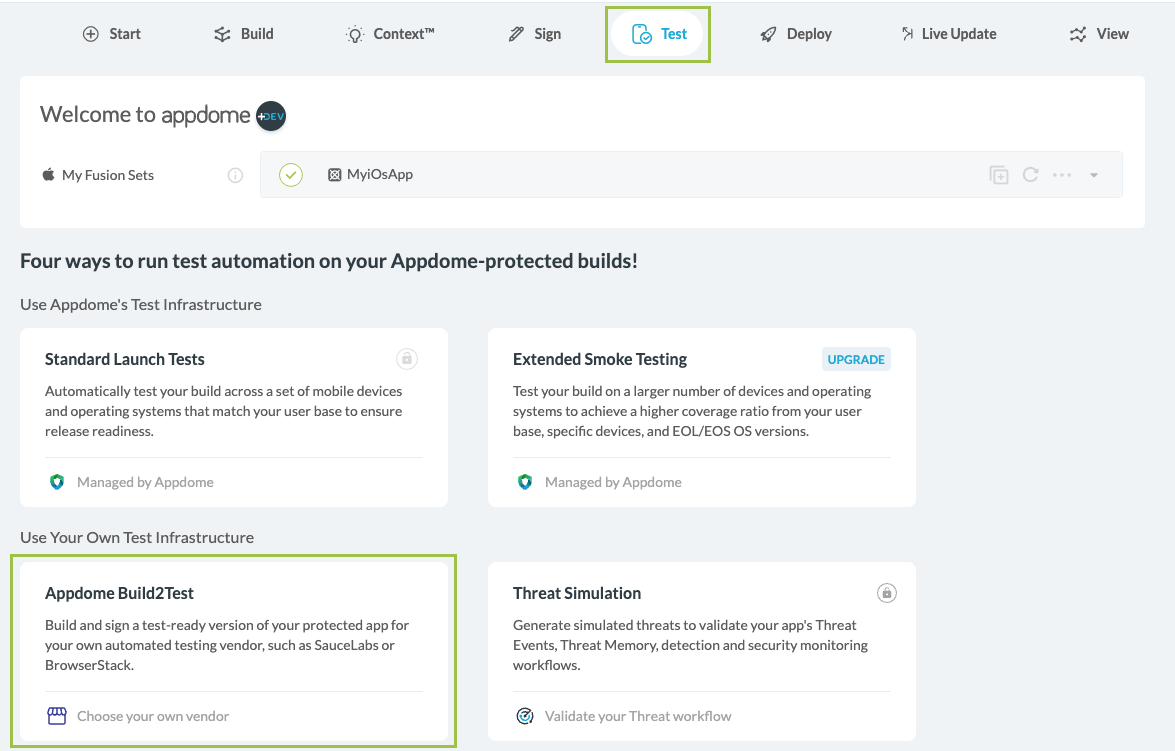
- Click on the Test tab and select Build2Test.
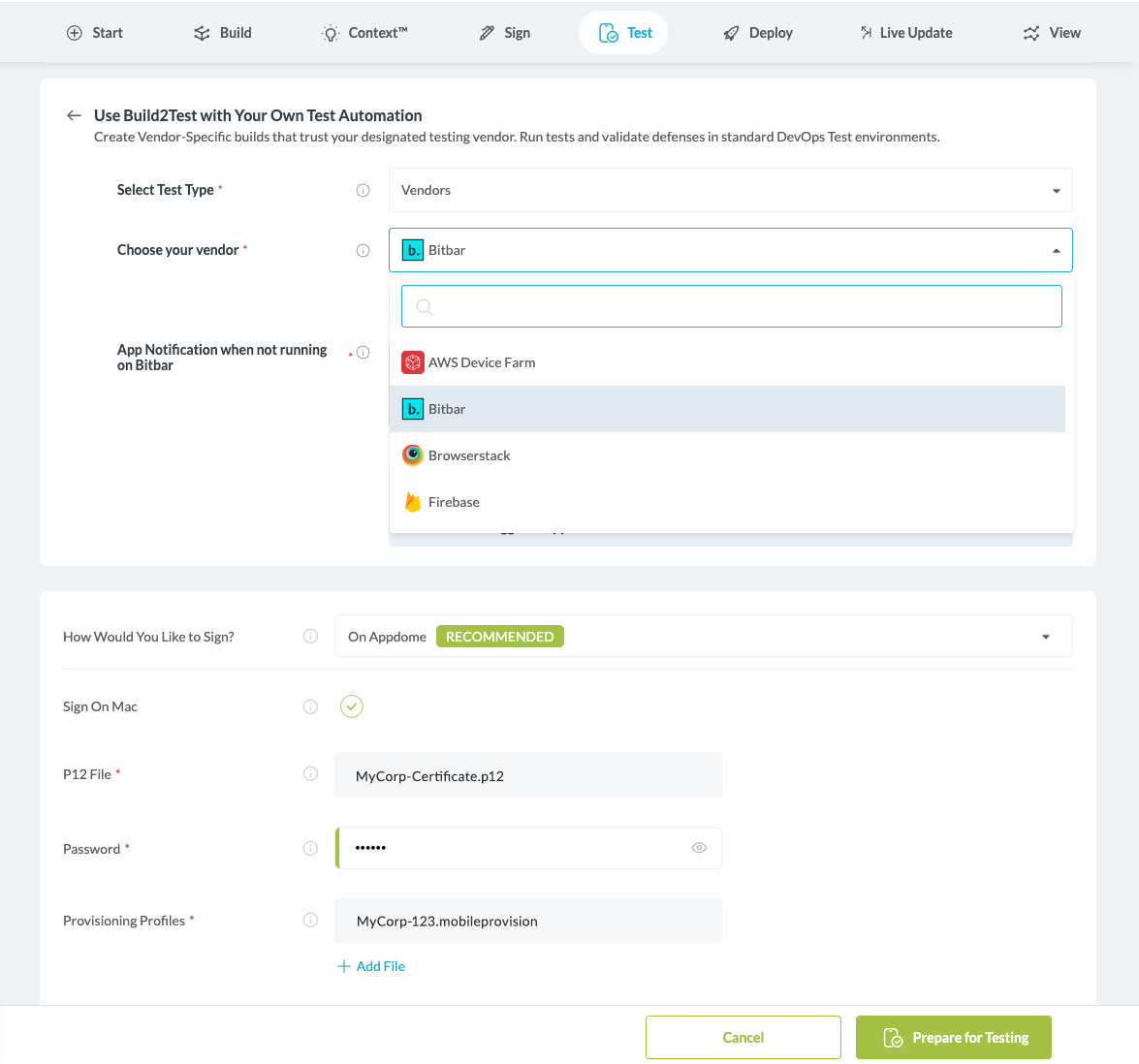
- Select your testing vendor and add the signing credentials.
- Click Prepare For Testing.
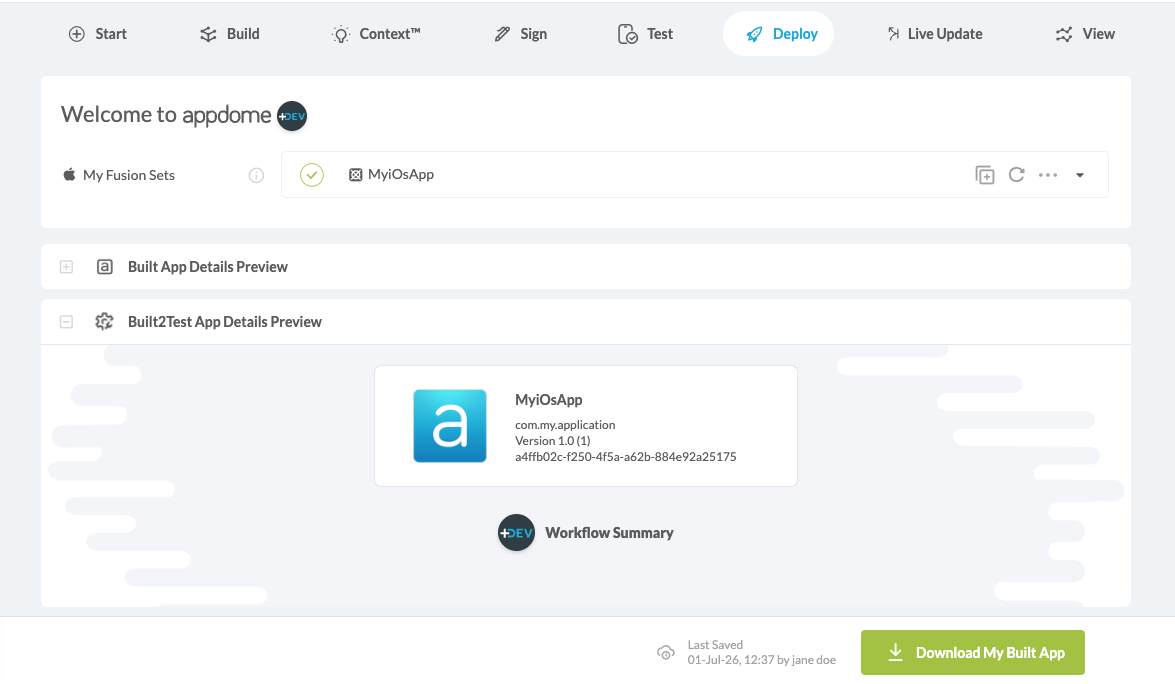
- After the build is complete, download your built app.
Related Articles:
- Using Appdome Automation Testing for Android Apps
- How to Use Secure Android & iOS Apps in GitHub CI/CD
- How to use Appdome-Build-2Secure Orb for CircleCI
- How to Secure Android & iOS Apps in GitLab CI/CD Pipelines
How Do I Learn More?
If you have any questions, please send them our way at support.appdome.com or via the chat window on the Appdome platform.
Thank you!
Thanks for visiting Appdome! Our mission is to secure every app on the planet by making mobile app security easy. We hope we’re living up to the mission with your project. If you don’t already have an account, you can sign up for free.