Thank you!
Thanks for visiting Appdome! Our mission is to secure every app on the planet by making mobile app security easy. We hope we’re living up to the mission with your project. If you don’t already have an account, you can sign up for free.

Vault™ is Appdome’s dedicated compliance and audit workspace, providing a single source of truth for mobile security, platform activity, and governance. Vault records actions performed across the Appdome platform, allowing organizations to investigate changes, demonstrate compliance, and maintain an audit-ready history of their mobile security operations.
Vault helps security, engineering, and compliance teams understand what happened, who performed an action, when it occurred, and how the mobile application’s security posture has evolved over time.
Vault simplifies compliance and security investigations by providing a centralized history of platform activity. Organizations can use Vault to:
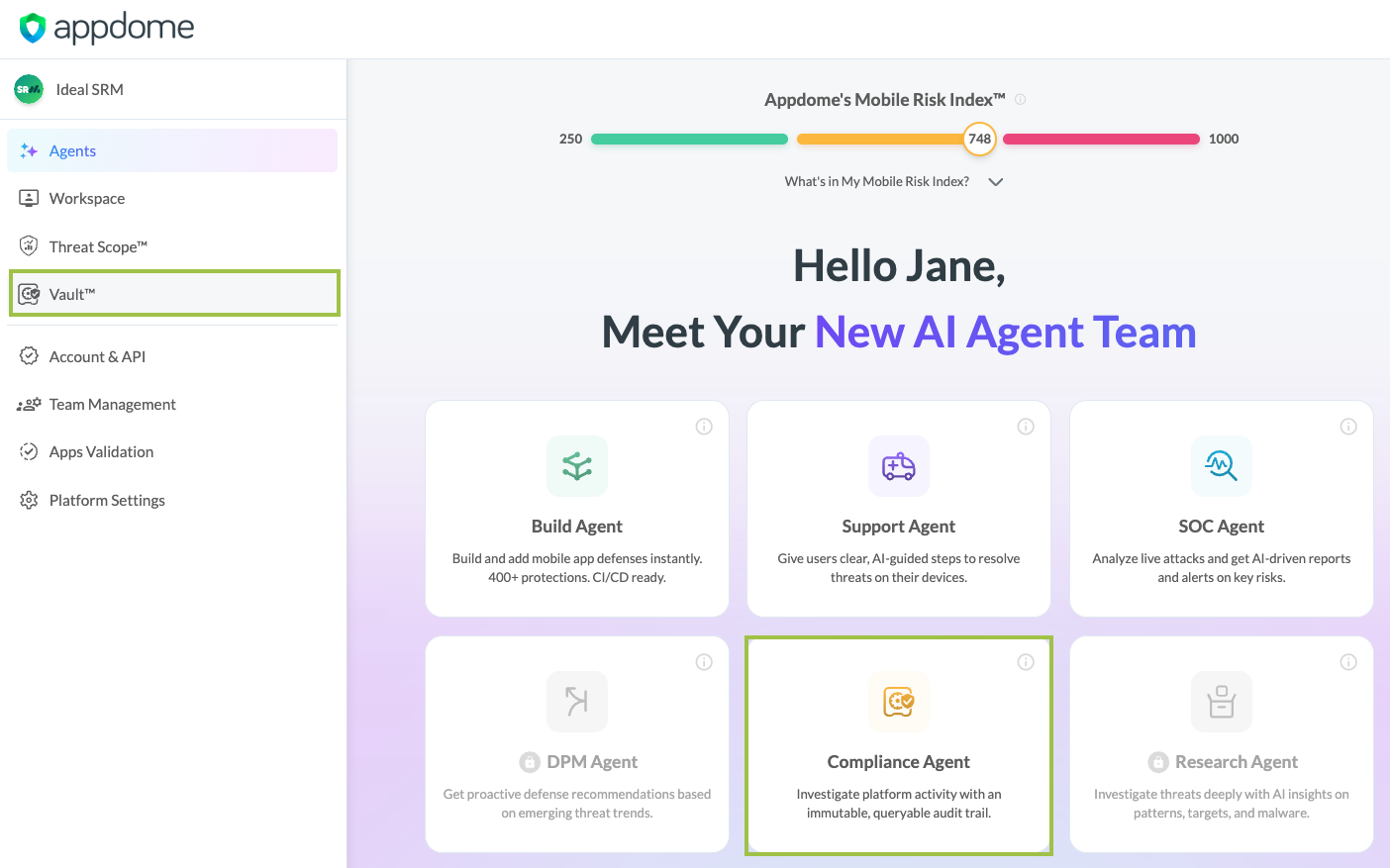
Users can access Vault™ in either of the following ways:
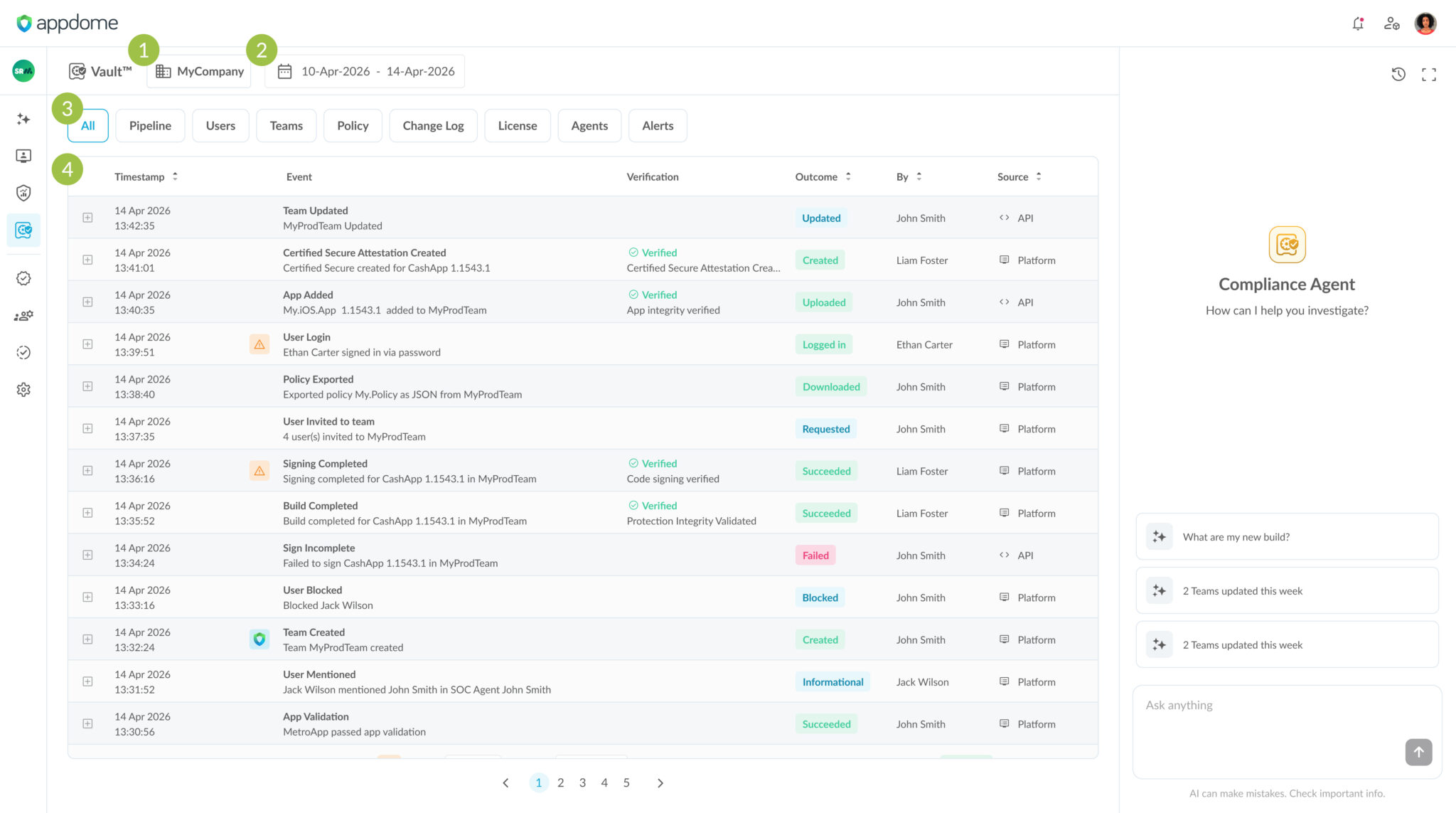
The Company selector identifies which company’s activity is displayed in Vault. If you have access to multiple companies, use this selector to switch between them.
Use the Date picker to display activity for a specific date or date range.
Quick filter buttons allow you to display only specific categories of activity, such as:
Selecting a filter updates the activity log to display only the relevant events.
The Activity Log provides a chronological record of platform activity.
Each event includes information such as:
Select the Expand (+) icon to display additional information about an event.
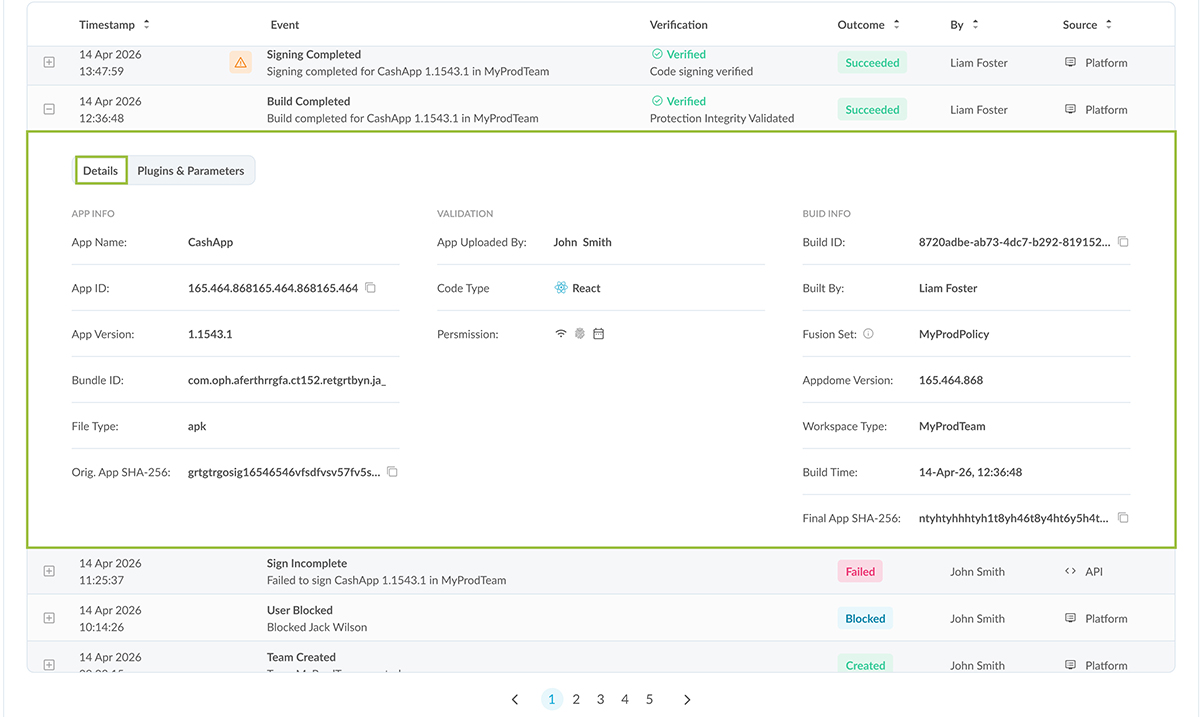
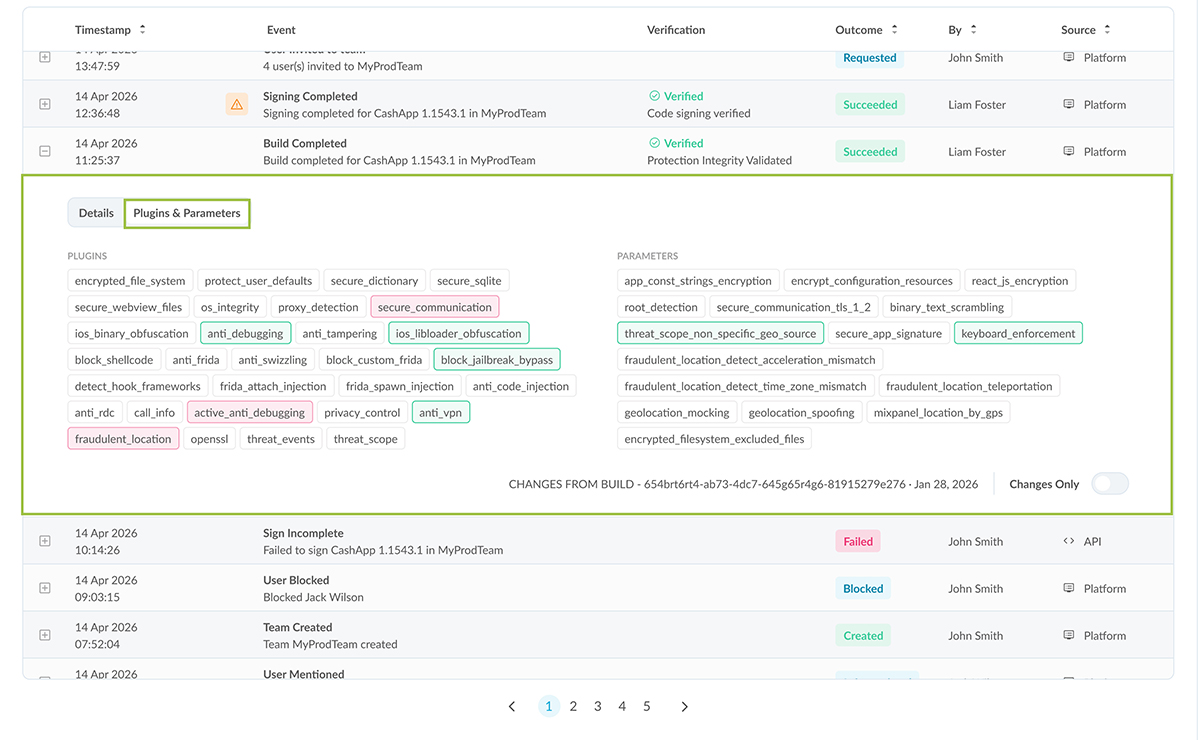
Expanded events display additional information organized into tabs.
The first tab presents the information most relevant to the selected event. For example, build events display application and build information.
Additional tabs provide supporting information depending on the event type, such as:

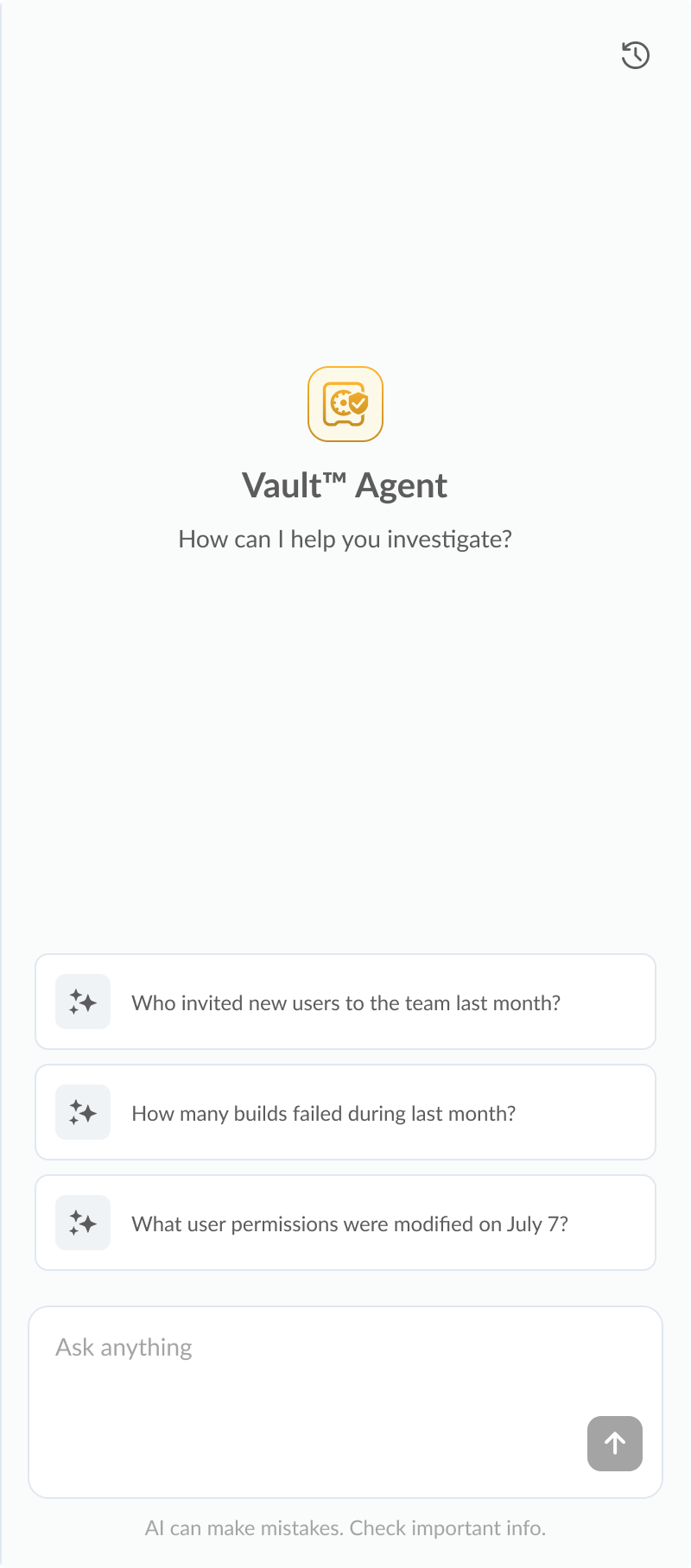
The Compliance Agent allows you to investigate Vault activity using natural language. Instead of manually searching the activity log, you can ask questions about platform activity, compliance history, builds, users, policies, and other recorded events.
When the Compliance Agent opens, it displays suggested questions based on recent Vault activity to help you begin your investigation. You can also enter your own questions in the Ask anything field.
Examples include:
The Compliance Agent analyzes the Vault activity history and returns relevant information to help answer your question. Conversation history is retained, allowing you to continue previous investigations or start a new one at any time.
If you have any questions, please send them our way at support.appdome.com or via the chat window on the Appdome platform.
Thanks for visiting Appdome! Our mission is to secure every app on the planet by making mobile app security easy. We hope we’re living up to the mission with your project. If you don’t already have an account, you can sign up for free.
Want a Demo?
Cyber Release Management™