
Understanding Appdome Test
What is Appdome Test?
Appdome Test is a unified workspace for validating Appdome-protected mobile applications before deployment. It brings together Appdome’s testing capabilities into a single experience, allowing you to choose the testing workflow that best fits your development and testing requirements.
With Appdome Test, you can validate application launch readiness using Appdome-managed testing or run automated tests using your own testing infrastructure and preferred testing vendor. This flexibility allows teams to incorporate Appdome-protected builds into existing testing workflows while ensuring applications are ready for release.
Available Testing Options
Appdome Test provides two testing workflows:
- Use Appdome Test Infrastructure – Use Appdome-managed testing to validate that your protected application launches successfully on real devices before deployment.
- Use Your Own Test Infrastructure – Run automated tests on Appdome-protected builds using your existing testing infrastructure and preferred testing vendor.
Each workflow is designed for different testing needs, allowing you to choose the approach that best fits your release process.
Use Appdome Test Infrastructure
What is Appdome Test
Appdome Test is an Appdome-managed testing workflow that validates the launch readiness of Appdome-protected mobile applications before deployment. Appdome automatically provisions real devices, runs standard launch tests, and displays the results in the Appdome Test workspace.
Appdome Test helps verify that protected applications launch successfully across representative devices and operating system versions before release, without requiring your own testing infrastructure.
Use Appdome Test to quickly validate release readiness before deploying a protected application.
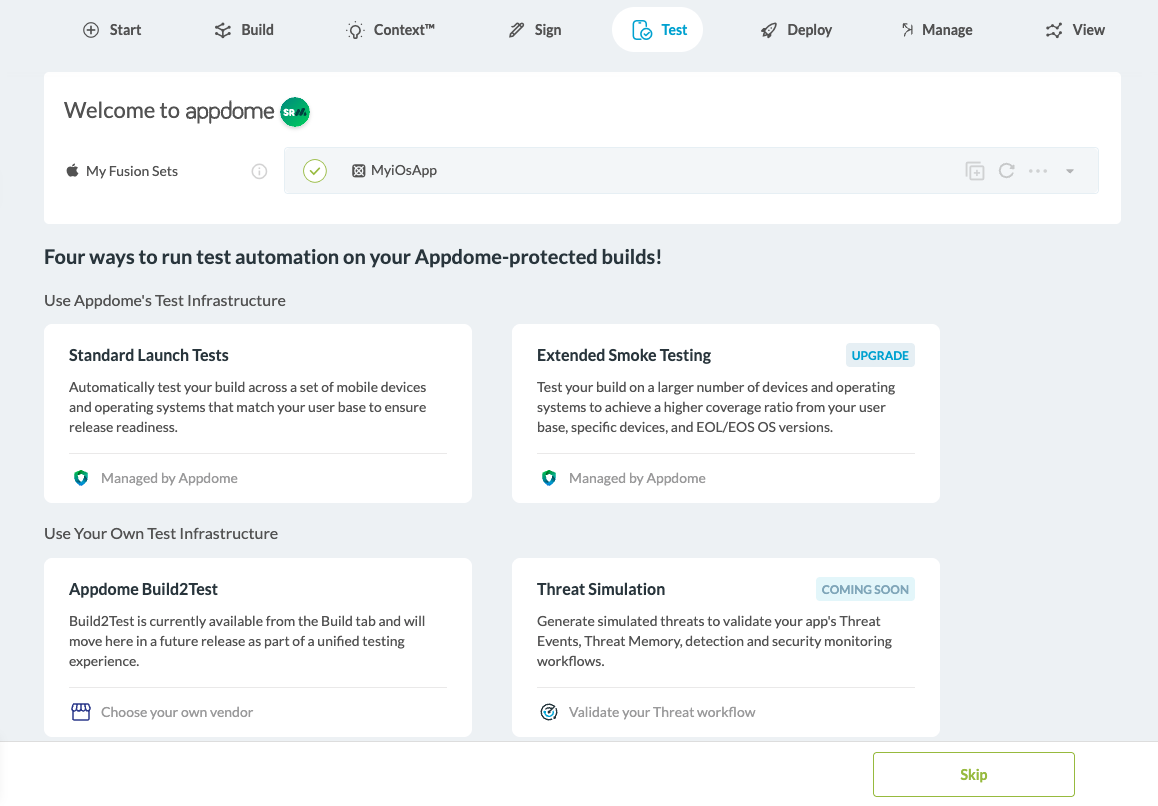
How to Use Appdome Test
Standard Launch Tests are performed using Appdome’s testing vendors. Test devices are automatically selected based on the application’s actual install base, prioritizing the most relevant device manufacturers and operating system versions.
For example, if an application is primarily installed on Samsung devices, testing will prioritize Samsung devices with relevant Android versions. The final device selection depends on availability through Appdome’s testing vendors.
- In the Appdome Test workspace, select Standard Launch Tests under Use Appdome Test Infrastructure.
- Click Run Test.
- During testing, Appdome provisions representative devices, executes the available launch tests, and displays the current test status and progress.
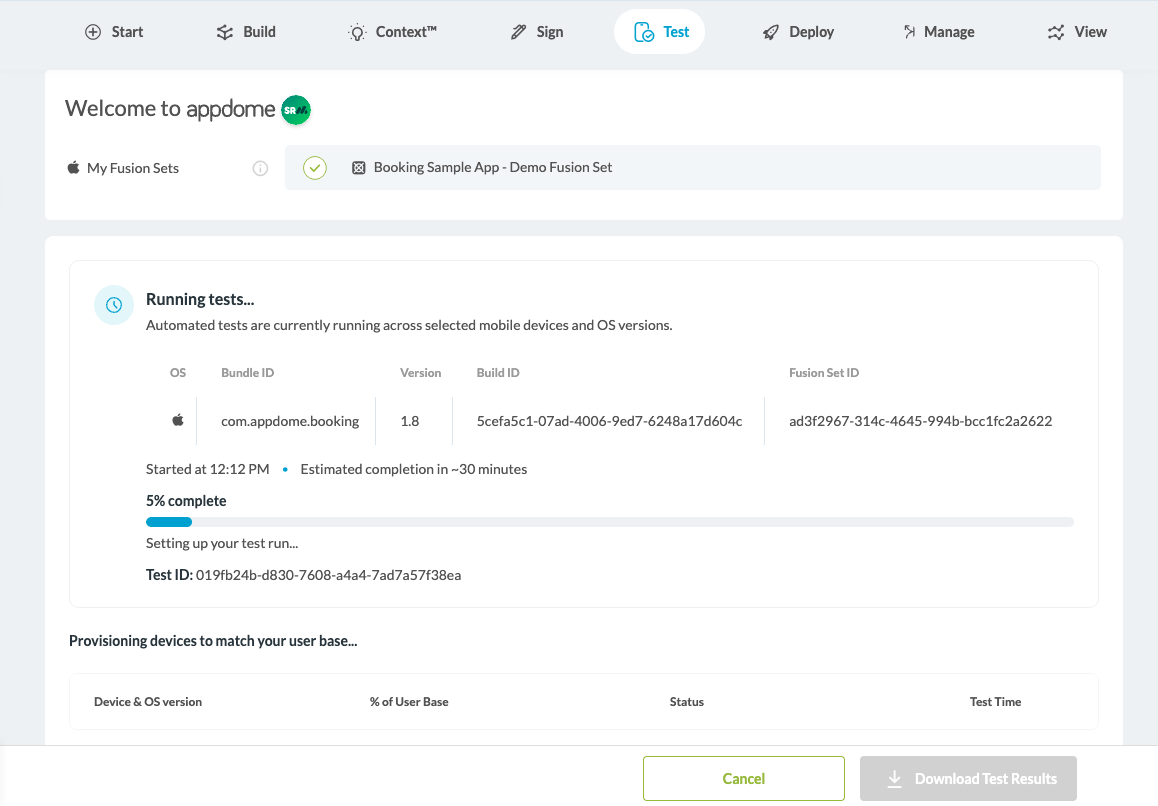
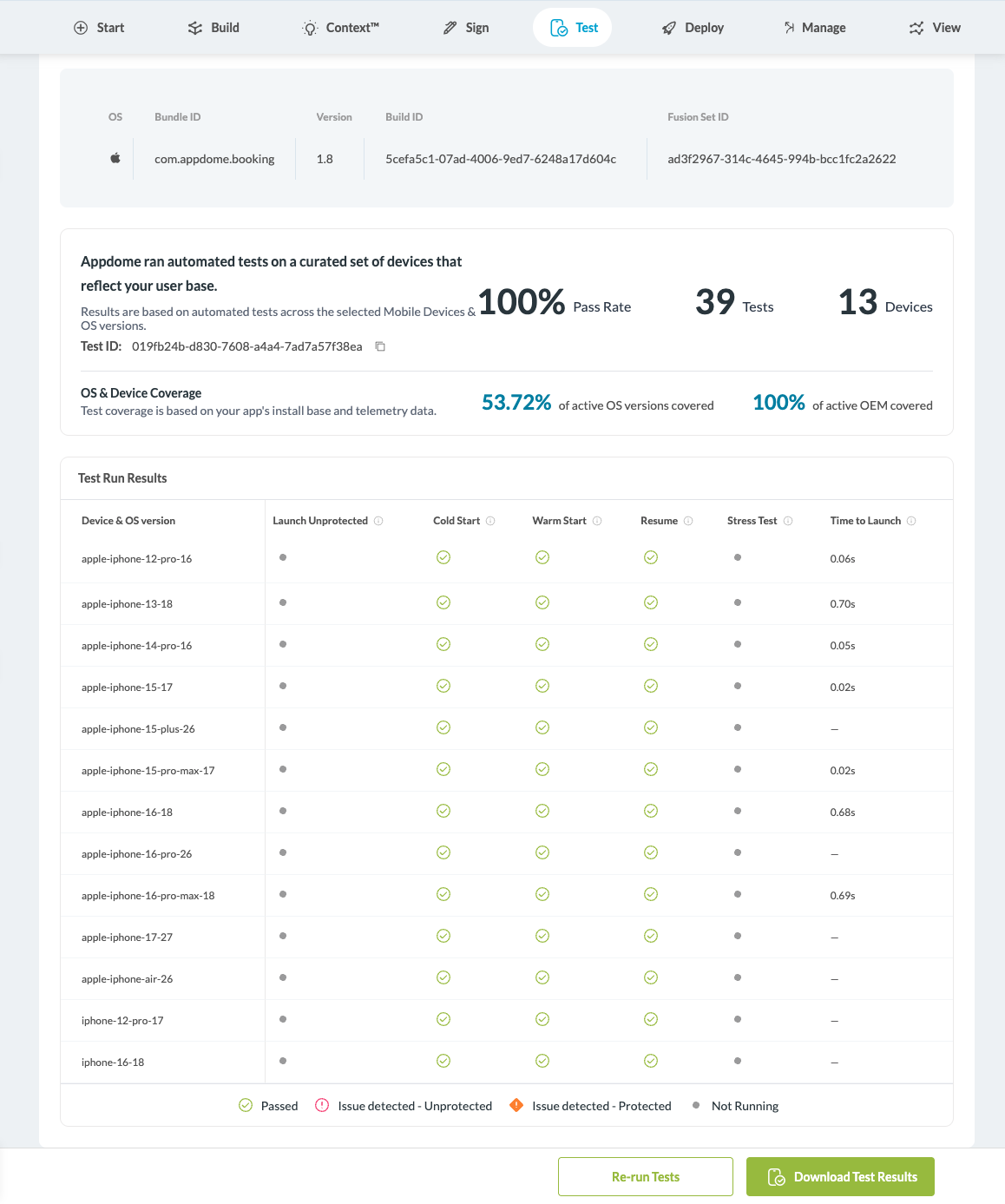
- When testing is complete, Appdome displays a summary of the test results, including overall pass rate, coverage, and detailed results for each tested device. You can also download the test results for further analysis.
Use Your Own Test Infrastructure
What is Build2Test
Build2Test allows you to prepare Appdome-protected applications for testing using your organization’s existing testing infrastructure and supported testing vendors.
During the Build2Test process, Appdome generates a vendor-compatible version of the protected application by automatically re-signing it with the credentials required by the selected testing provider. After selecting a supported testing vendor and generating the testing build, you can download the application package and upload it to your testing provider.
Note: At this stage, Build2Test is initiated from the Build tab. Future releases will integrate this workflow directly into the Testing workspace.
How to Use Build2Test
- In the Appdome Test workspace, select Use Appdome Build2Test
- Choose the desired testing vendor.
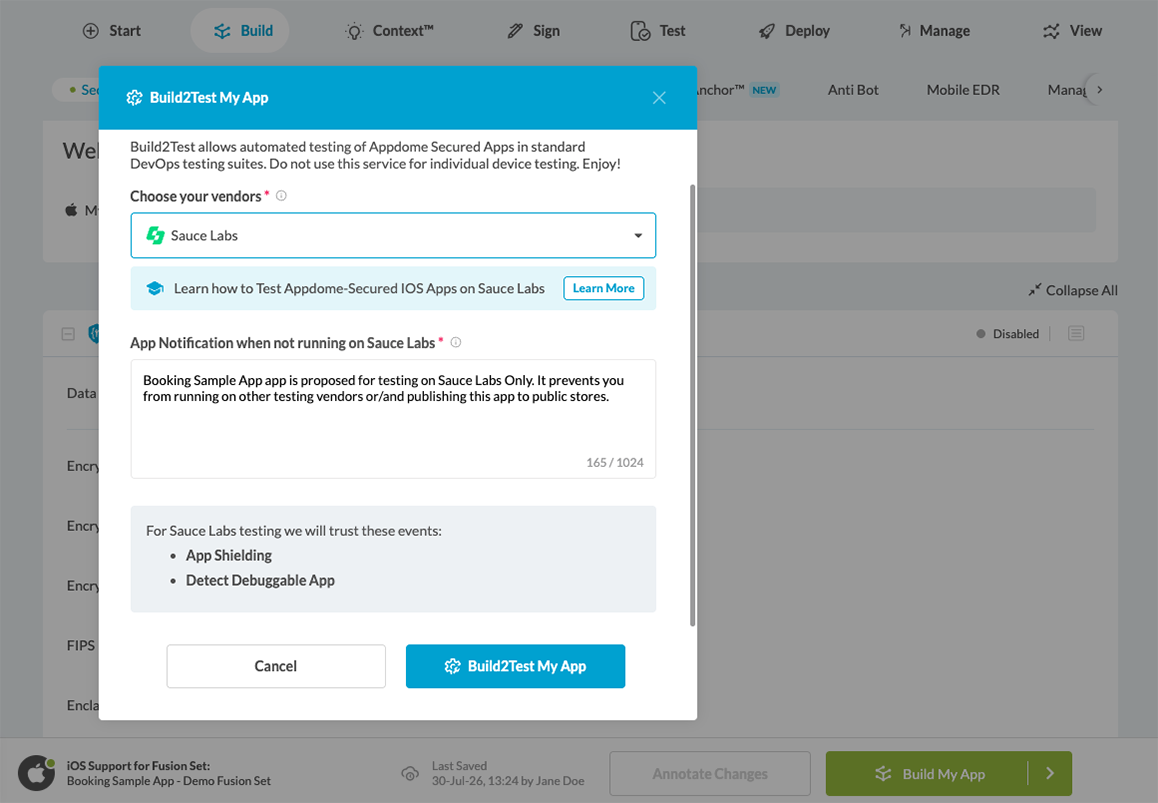
- Generate the Build2Test package.
- Download the vendor-specific application package.
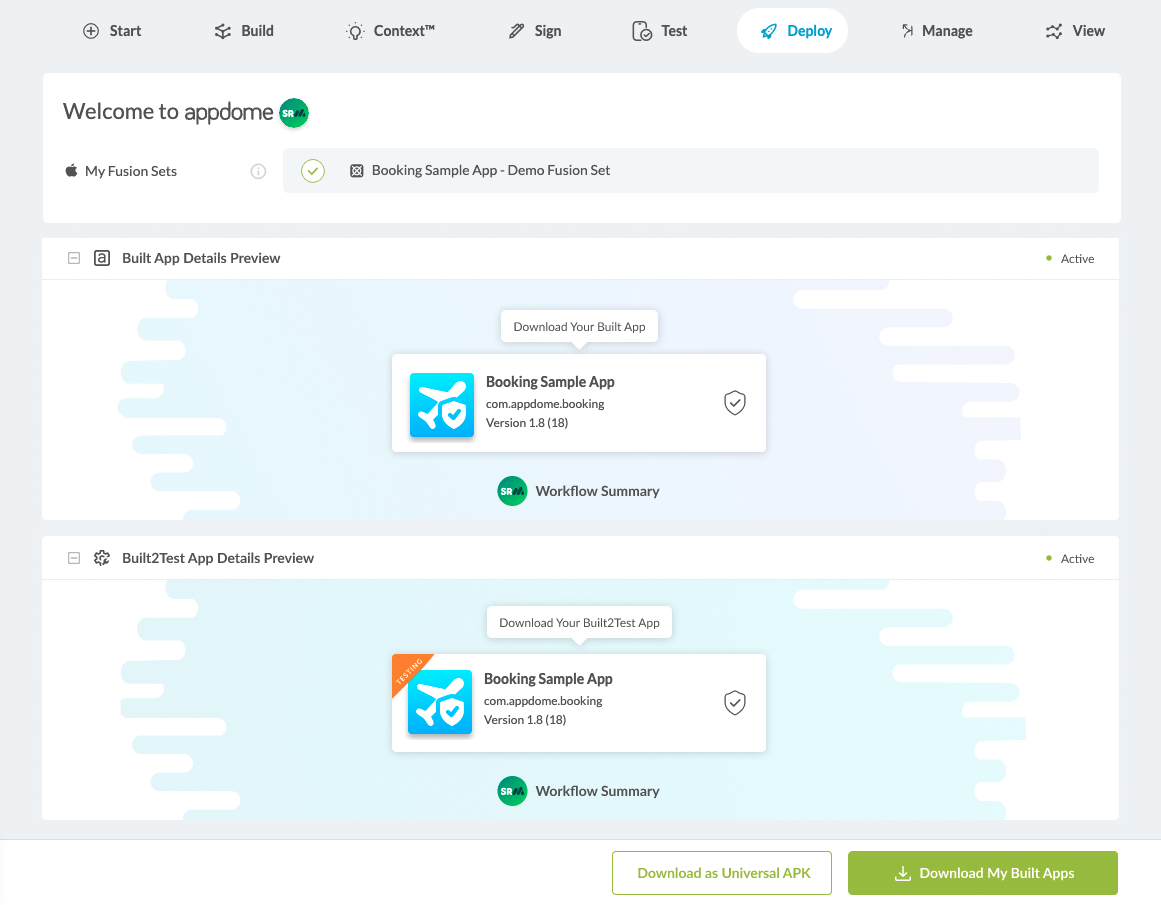
- Upload the package to the selected testing platform and run your tests.
Extended Smoke Testing (Coming Soon)
Extended Smoke Testing will expand the standard application validation process with additional automated test scenarios designed to provide broader coverage of application stability and functionality. This capability will help teams identify potential issues earlier in the testing process before deploying protected applications.
Simulated Threat Events (Coming Soon)
Simulated Threat Events will allow teams to trigger supported Threat-Events™ during testing without compromising the test device. This capability will help validate application behavior, backend integrations, and incident response workflows under simulated threat conditions.
Related Articles:
How Do I Learn More?
If you have any questions, please send them our way at support.appdome.com or via the chat window on the Appdome platform.
Thank you!
Thanks for visiting Appdome! Our mission is to secure every app on the planet by making mobile app security easy. We hope we’re living up to the mission with your project. If you don’t already have an account, you can sign up for free.